I wanted my coding agents to have a little home on my desk. Somewhere I could glance over, see what was happening, and get back to the right conversation without hunting through windows.
That idea became Nook: a quiet native macOS dashboard designed around the CORSAIR XENEON EDGE. The coding work stays in the tools I already use. Nook gives the sessions a shared place to be seen.
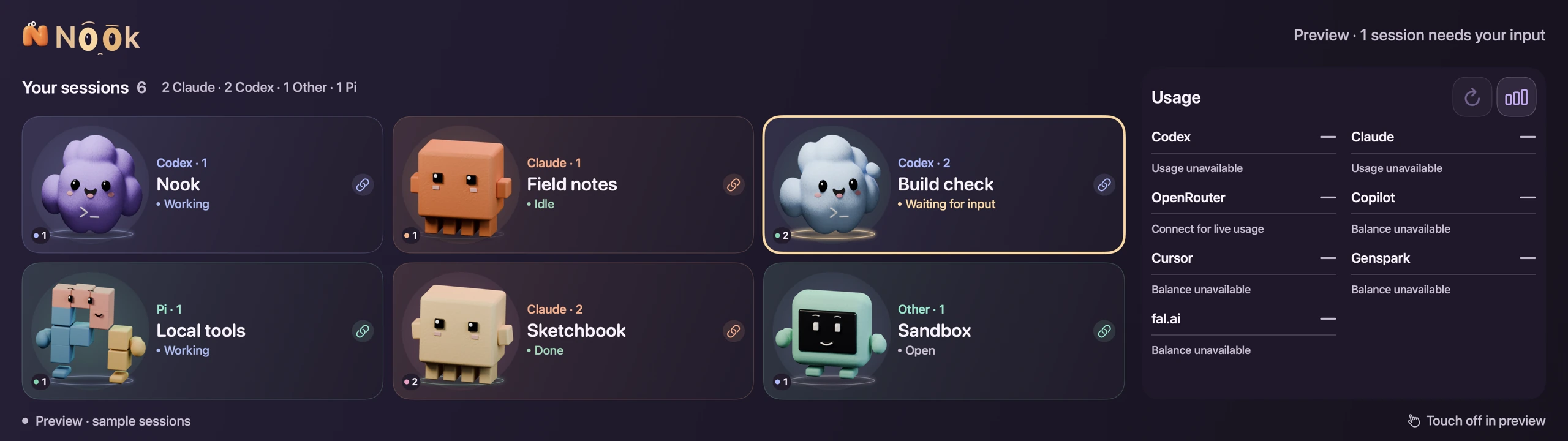
The shape of the screen changed the idea
The XENEON EDGE is unusually wide: a 14.5-inch panel with a 2560 × 720 resolution. CORSAIR lists a 60 Hz refresh rate, five-point capacitive touch, HDMI and USB-C display input, and a detachable magnetic desk stand. It is a separate physical display, which is what made this experiment interesting to me.
A screen that shape asks for a different interface. A conventional desktop dashboard would spend too much of the space on navigation and small text. I wanted the useful part to survive a quick glance: the session, its state, and the way back into it.
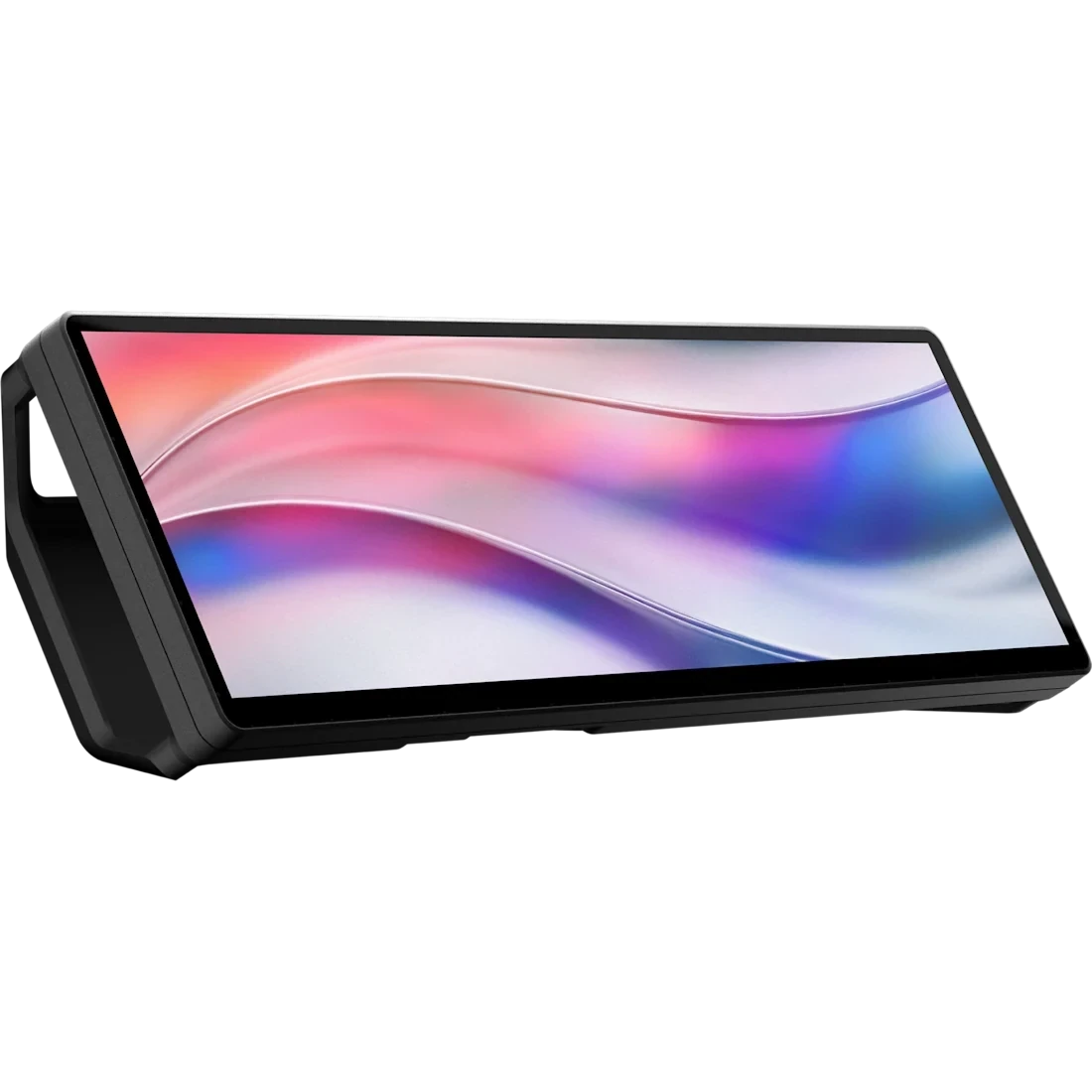
The hardware capability and the Mac interaction are separate things. Nook’s current touch approach uses macOS’s single pointer with a permissioned helper. That does not turn the Mac into a system with five independent pointers. Physical touch comfort still needs checking on the actual setup; a software preview cannot establish it.
From a status panel to a little crew
The project includes a browser prototype, but the primary interface is now native SwiftUI. The narrow display became a home for a roster of sessions, with companions that are large enough to recognise and labels that explain what each one is doing.
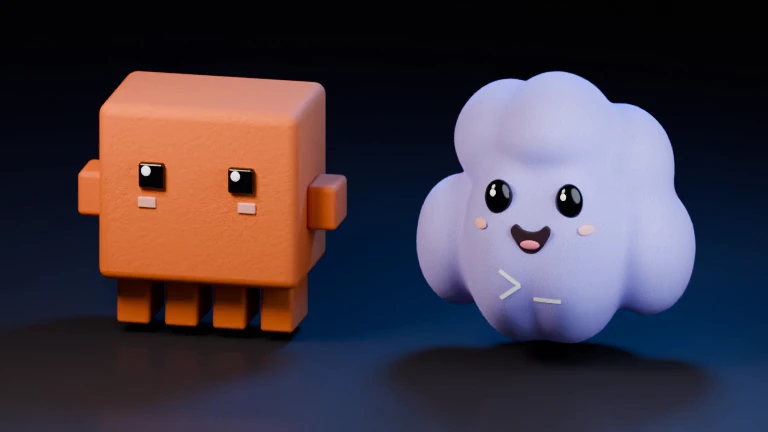
The personality matters to me. Nook’s own character is a soft orange N with two curious eyes. The coding companions have their own shapes and small gestures. I wanted something I would enjoy having beside me during a long build.

But the face cannot be the source of truth. A companion looking busy does not establish that a task is running. “Working”, “Idle”, “Waiting for input”, “Done”, and an unknown state need evidence behind them. A session that is merely open should stay labelled that way.
That became a useful design rule: give the interface personality, then make the text carry the meaning. Colour and motion can support a state, but the reader should never have to decode a little dance to know whether they are needed.
A short look at Nook
The hard part is the right conversation
A card is easy to draw. Opening the exact conversation represented by that card needs more care. Two sessions can use the same coding tool. One may be in a terminal tab and another in a desktop app. Bringing the app forward is only part of the job.
Nook checks the available route to an existing session. When that route is missing or ambiguous, the interface should explain the limit. Creating a fresh conversation would look like a successful click while losing the context I was trying to reach.
I kept the opening action tied to an explicit tap. Discovering a session, refreshing its status, or receiving a report should not pull focus away from the work. That boundary is part of what makes a companion panel comfortable to leave open.
Useful information, with its limits visible
Usage information belongs beside the sessions too. The useful questions are small: how much allowance remains, which window it belongs to, when it resets, and whether the reading is fresh. Different providers expose different information, so the interface has to preserve those differences.
An unavailable reading should remain unavailable. An old reading needs its age. A missing reset time should not become an invented countdown. The preview in this article deliberately shows disconnected usage sources; it contains no account balances or private conversation data.
The same restraint applies to connected agents. Nook’s MCP reporting lets a harness put a short task description, an explicit state, or a reason for needing input on an existing verified card. Receiving that report does not answer an approval or resume the agent. The decision still belongs in the coding tool.
What is working, and what is still an experiment
As of 19 October 2026, Nook is a local macOS prototype with a native session roster, companion artwork and motion, usage views, and routes into supported existing sessions. Source coverage and opening support vary by tool and host. The project is still being developed; this page is a build story, with no public installer or source release.
The dashboard remains silent. It does not read conversation transcripts, make model requests, or automatically resume an agent. The expressive cast supports a practical interface, while motion stays bounded and respects Reduce Motion.
The images and video here are rendered previews. They show sample sessions and artwork from the project, rather than a recording of a live workday or proof of a physical touch test. The CORSAIR product image is credited separately below.
What this changed for me
I started with a screen and a wish to see my agents together. The more useful question became: can I understand what needs my attention, trust what the panel says, and return to the right piece of work?
The small details answer that question. A state that admits uncertainty. A balance that shows its age. A tap that preserves the existing conversation. A companion that can be playful without interrupting anything.
If you are trying something similar, begin with one session and one honest state. Make the route back to that exact session reliable. There is plenty of room to add a little personality once that works.
Build receipt
Snapshot: 19 October 2026. Personal local prototype for macOS; native SwiftUI interface with locally rendered companion artwork. The gallery uses sample sessions and contains no private task reports or account readings. The short film combines a native dashboard preview, a rendered companion animation and the native Nook mascot animation. It has no audio.
Hardware reference and product image: CORSAIR XENEON EDGE 14.5-inch LCD Touchscreen, checked on 19 October 2026. Product image © CORSAIR; shown to identify the hardware, with CORSAIR’s original screen content. It is not a photograph of my desk or of Nook running on the device. Nook is a personal project and is not presented as a CORSAIR product.
Related notes: why the harness matters and three doors into one local agent. You can also find Nook in the project catalog, or visit the Nook stop in Exploring World.