01
Record a display, app, or window
Choose the capture target, record the take, and keep the original on your Mac.
macOS screen studio / Available for macOS
A screen studio that stays on your Mac.
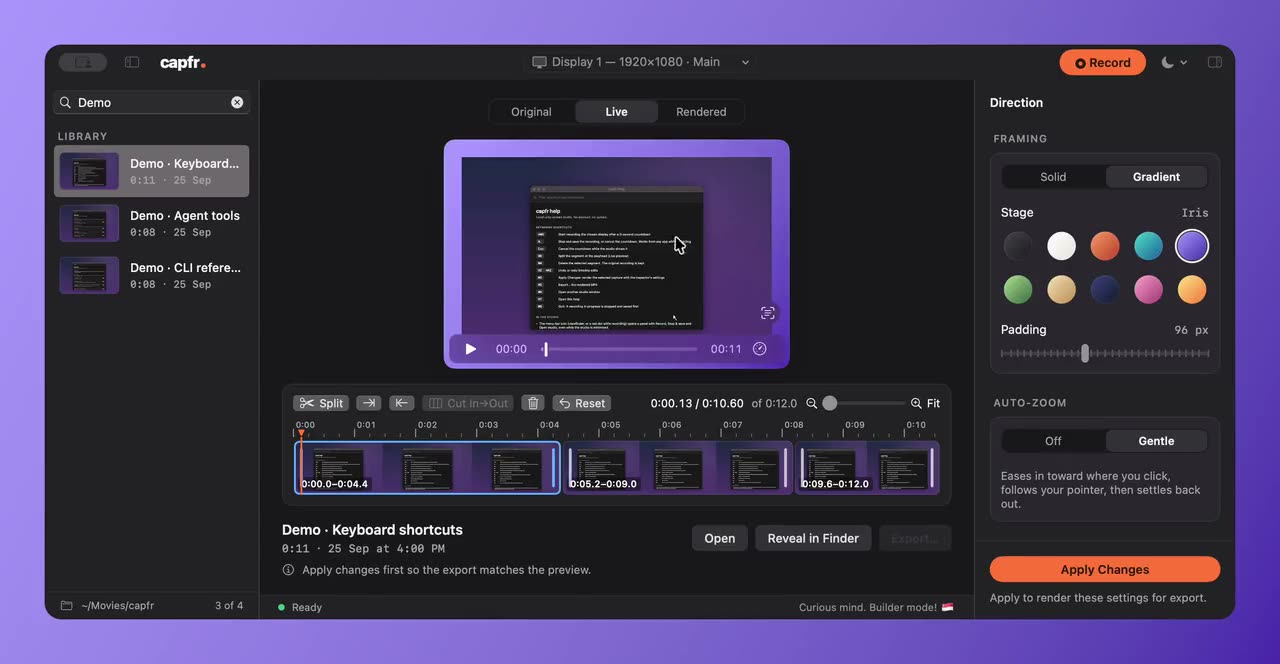
capfr brings screen recording, presentation polish, and timeline editing into one local macOS app. I built it so a product walkthrough can go from a raw take to an MP4 without an account or an upload step.
Built by Tanveer Riaz. Updated .
01
Choose the capture target, record the take, and keep the original on your Mac.
02
Adjust the background, pointer, click highlights, and gentle zoom. Trim, split, and reorder scenes without changing the original recording.
03
A CLI and local MCP server expose the recording library and editing tools. Agent requests to record, take a screenshot, or move a capture to trash require approval for each action.
The current download is for Apple silicon Macs running macOS 15 or later. It is ad-hoc signed and not notarized; the product site explains installation. Recordings currently capture no microphone or system audio.
The app is free to use. Its source repository is private.
Captures stay on the Mac and capfr has no cloud-sharing flow. If you connect a cloud-backed coding agent, its tool results may be sent to that agent’s model provider.